Your Calls, Counted Every Week
Back when I worked in marketing at Hyper, a company selling an influencer marketing analytics platform, there was a CFO who stayed on my case all day long. He wanted Excel sheets for the campaigns I ran, and I wouldn't build them, because I hated Excel. Before Hyper I'd never touched it, and it was frustrating every single time.
He didn't let it go. He made me stick with it. And to this day I tell everyone the same two words, twice in a row: Excel, pivot tables. Still use them all the time, too.
What that CFO gave me was a habit. When a business isn't bringing in what it should, you go find the leak, and you count until it shows up.
Your phone has a leak somewhere. This chapter is how you find it: five numbers on a whiteboard, updated once a week, pulled from places you already have. You'll also see what a real month of calls looks like in our own records, and what to check before you record a single call.
"Frankly, you're probably not tracking it. Most small business owners that I talk to aren't tracking their calls, transcripts, the outcomes from them properly."
The count in your gut is always low
Ask an owner how many calls they missed last week and you'll get an answer fast. A few. Not many. Maybe on Saturday.
That answer comes from memory, and memory only holds the calls that left a trace. A voicemail you listened to, you remember. A customer who got through on the second try, you remember. The person who called once from a number you didn't recognize, heard a ring and then a beep, and called the next guy? That call left nothing in your memory to count.
So the calls you feel are the ones that almost got away. The ones that fully got away don't register at all. Your gut undercounts the leak in exactly the spot that costs you the most.
What most owners do keep track of is the lead that made it in. Somebody booked, or somebody's name is on the calendar. The details of the call itself, what they asked for and what they were told, sit with whoever picked up. Nobody writes down the call that never turned into anything.
Counting fixes that, and it doesn't take a spreadsheet class.
Five numbers that fit on a whiteboard
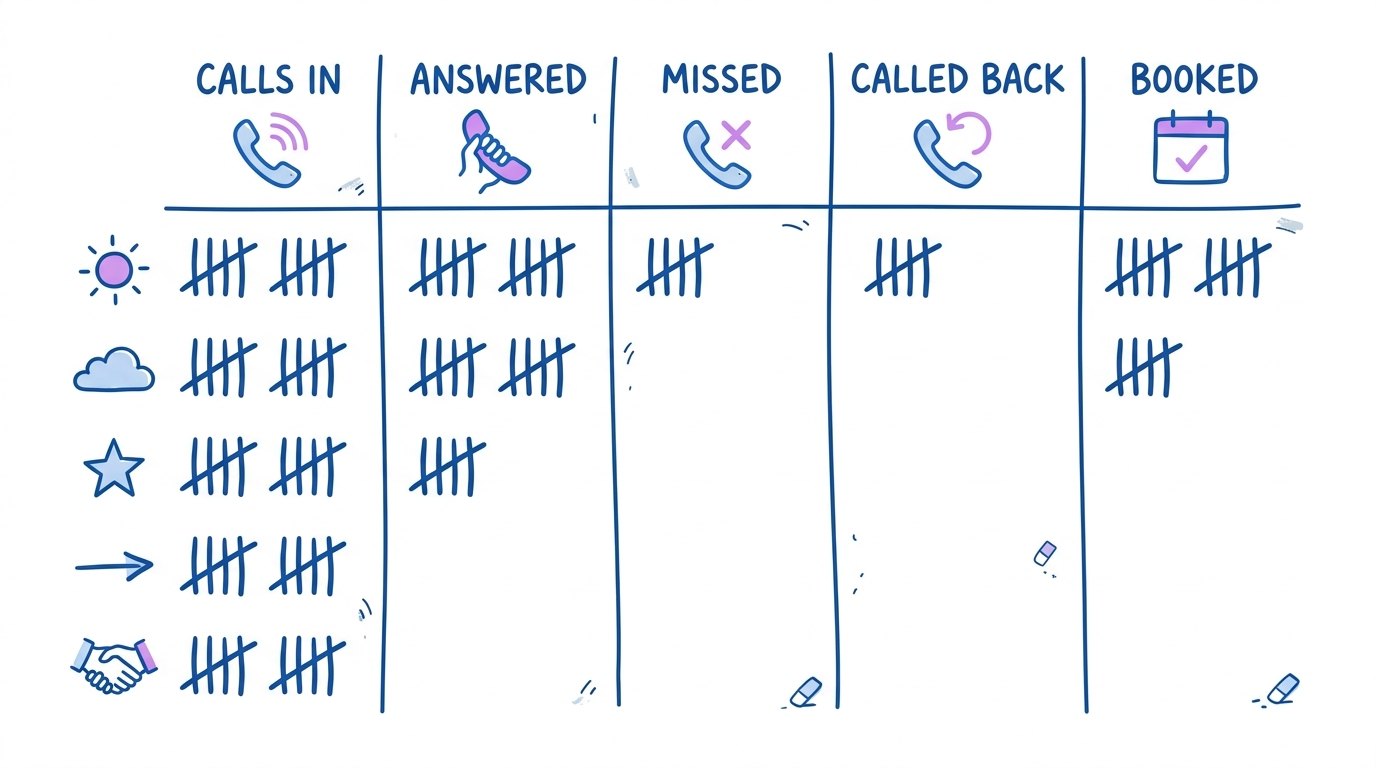
Put a whiteboard where you'll walk past it. Draw five columns:
- Calls in. Every call that rang your business number.
- Answered live. A person picked up.
- Missed. Nobody picked up.
- Called back. How many of the missed ones you returned, and how many of those the same day.
- Booked. Jobs that started with a phone call.
Let me run a week for you. Say you had 30 calls in, 19 answered live and 11 missed. Say you called back 7 of the 11, only 3 of them the same day, and you booked 9 jobs.
Now look at the board. Four people called your business and never heard back from anybody. Four more waited till the next day or later. And you'll never feel any of that in your gut, because none of those people left a mark you'd remember.
The board also tells you which chapter to go back to. A lot of missed calls during open hours points to the free fixes in Chapter 3. Slow callbacks point to Chapter 4. A pile of missed calls at night and on weekends points to Chapter 5. Plenty answered and not many booked usually means details are falling out between the phone and the order, which is Chapter 6.
One tweak is worth it. Split the missed column into two colors, one for open hours and one for after hours. The fix for each one is different.
Do it the same morning every week. Monday works. Ten minutes, and write last week's numbers right next to this week's. Count them the same way every week, ugly weeks included, so you can tell whether anything you changed did something.
Where the counts come from without buying anything
You already own most of this data. It's just sitting in places you don't look.
Calls in and missed come from your phone's call history, or from your carrier's online account if you want the full list with times. Scroll back seven days and count. Your recent calls list already marks which ones you missed.
Called back comes from the same list. Look at your outgoing calls and match them to the numbers that called you.
Answered live and booked are the two your phone can't tell you, because the call log knows a call happened and has no idea what was said. So keep a tally sheet by the phone or on a clipboard in the truck. One tick when a person picks up. One tick when a call turns into a booking. It feels silly for about a week, and then it's habit.
Count your voicemails while you're at it. Missed calls minus voicemails is roughly how many people gave up without saying a word.
If you'd rather type it than draw it, a spreadsheet with one row per week and five columns is plenty. No pivot tables required. Sorry to my old CFO.
A month of calls from our own records
KaiCalls publishes its own count every month, and I'd be a hypocrite telling you to count if we didn't. According to KaiCalls' month-one ledger (September 2026), 9,434 calls had run through KaiCalls as of September 1, 2026. In August 2026, 690 calls hit the platform and 657 of them completed, per the same ledger. For the businesses using it that month, the average completed call ran 2 minutes 34 seconds, by the same ledger.
Two things in there matter for your whiteboard.
First, look at calls in against completed calls. Your board has the same shape, calls in against answered live. The gap between the two is the first thing worth asking questions about, whether it's our platform or your cell phone.
Second, look at how short a call is. Under three minutes, on average, for everything a customer needed to say. So the details of a call either get written down during those few minutes or they don't get written down. Later never comes.
When Kai answers your calls, a lot of the counting happens for you. Every call shows up in your call history with how long it ran, and with recording turned on, a transcript you can read once it's processed. That lets you test things you'd otherwise argue about. Maybe you take the calls during the middle of the day and Kai handles after hours. Maybe a different greeting books more people. Run it for a couple of weeks and read the count. The KaiCalls setup docs walk through routing, business hours and where notifications go.
One honest limit. Kai only counts the calls that reach him. If some customers still call your personal cell and you never forwarded it, those calls aren't in anybody's history but your phone's. Keep the tally sheet till every number your customers use is counted somewhere.
Recording calls without breaking a consent law
You don't need to record a single call to fill in the whiteboard. Recording helps when you want to hear what was said, and it comes with consent rules that change from state to state. Chapter 12 goes through them, including the states that want everyone on the call to agree.
The simple move that covers the most ground is telling every caller at the start that the call is recorded. Then you're not guessing which state they're calling from. None of this is legal advice.
On KaiCalls, a recording only exists when recording is turned on for the call and the required disclosure or consent is satisfied, per the call records help page. If you run a business in a state with stricter rules, have a lawyer look at your greeting before you turn it on.
Common questions
Questions this chapter gets asked
How do I track missed calls for my small business?
Use the call history you already have. Once a week, open your phone's recent calls or your carrier's online account, go back seven days, and count calls in and calls missed. Split the missed ones into open hours and after hours, and note which ones left no voicemail. Write the numbers on a whiteboard or one row of a spreadsheet, same day every week, so you can compare week to week.
Which call numbers should a small business owner check every week?
Five of them: calls in, calls answered live, calls missed, missed calls you returned (and how many the same day), and jobs booked from a call. Check them the same morning every week and write them next to last week's. The gaps between those columns show where the leak is, whether it's slow callbacks or details that never reach the order.
Do I need to record calls to track them?
No. The five numbers come from your call history and a tally sheet, and neither one needs a recording. Recording helps when you want to hear what a caller asked for or what they were told, like when a booking went wrong and nobody remembers why. If you do turn it on, say at the start of every call that it's recorded, and read Chapter 12 for the consent rules first.
How long does a typical business call last?
For businesses using KaiCalls in August 2026, the average completed call ran 2 minutes 34 seconds, according to KaiCalls' month-one ledger (September 2026). It's our platform's number, not a national figure, and your own calls may run longer or shorter. Your phone's call history shows each call's length, so you can check yours. Short calls mean the details have to get captured during the call, not after.
2.4 MB PDF
Get the PDF
The whole book in one file, with the figures, to read offline or pass to someone else.
Download the PDF